
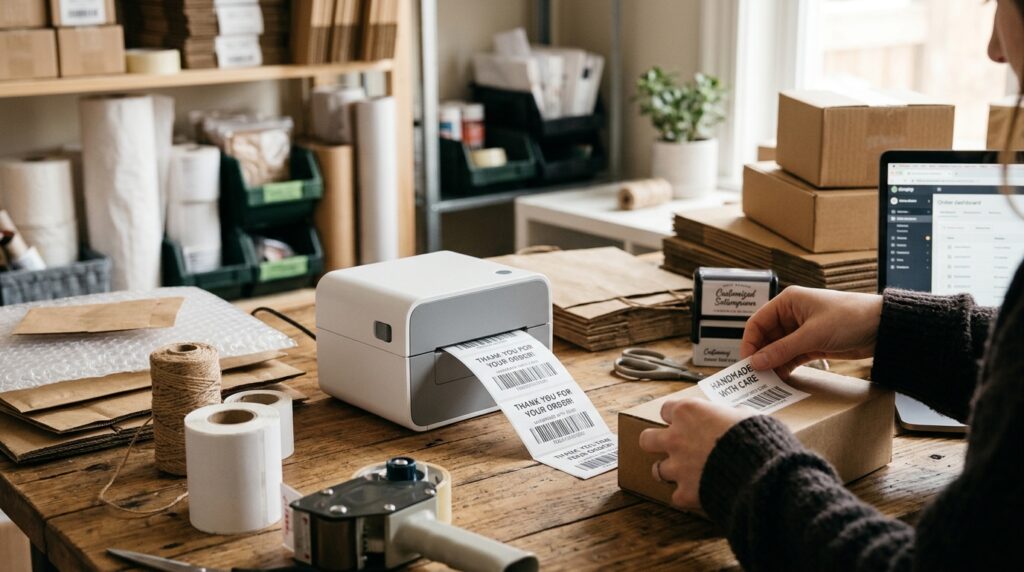

Running a small business involves countless details, from managing inventory and fulfilling customer orders to maintaining an organized workspace and creating a memorable brand identity. Although these responsibilities may seem unrelated, they all have something in common: the need for clear, consistent, and professional labeling. A reliable label maker for small business operations can make these everyday tasks easier while helping a company maintain an organized and polished appearance.
Whether you operate an online store, manage a retail shop, sell handmade products, run a home-based business, or handle warehouse inventory, the right labeling equipment can save time and reduce unnecessary mistakes. Instead of handwriting labels or relying on complicated printing processes, a dedicated label maker allows you to produce professional labels whenever you need them.
Modern label makers offer much more than simple text printing. Depending on the model, they can create product labels, shipping labels, barcode labels, price tags, storage labels, address stickers, and branded packaging elements. Some machines connect to smartphones and computers, while others operate independently with built-in keyboards and displays.
Choosing the right device depends on your business requirements, printing volume, budget, and preferred label formats. This guide explores everything small business owners should understand before investing in a label maker, including important features, different printer types, practical applications, and tips for making the most of your purchase.
Why Every Small Business Needs a Label Maker
Organization plays an important role in business success. When products, packages, supplies, and documents are properly labeled, employees can identify items quickly and complete daily responsibilities with greater confidence.
A label maker provides a convenient way to create consistent labels without depending on handwritten information or outsourcing small printing jobs.
Here are several reasons why investing in a business label maker can be worthwhile.
1. Improve Business Organization
An organized workspace makes daily operations more efficient. Labels help identify shelves, storage containers, office supplies, product categories, equipment, and inventory locations.
For example, a small cosmetics business may organize products according to fragrance, product type, batch number, and expiration date. A clothing boutique might use labels to identify sizes, colors, product codes, and storage sections.
With clearly printed labels, employees spend less time searching for items and more time completing valuable work.
2. Create Professional Product Packaging
Packaging influences how customers perceive a business. Even a small product can look more appealing when it features a clean, readable, and professionally designed label.
A label maker for small business packaging can help create product names, ingredient information, instructions, brand details, and other essential information.
This is particularly useful for businesses selling candles, soaps, handmade accessories, baked goods, skincare products, and customized gifts.
Consistent labeling also creates a recognizable appearance across different products, helping customers associate attractive packaging with your brand.
3. Save Time on Daily Tasks
Handwriting labels can become frustrating when orders increase or inventory changes frequently. A label printer simplifies repetitive tasks by allowing business owners to save templates and print multiple labels quickly.
Instead of writing the same information repeatedly, you can prepare a design once and reuse it whenever necessary.
This convenience becomes especially valuable during busy seasons, promotional campaigns, product launches, and high-volume shipping periods.
4. Reduce Labeling Mistakes
Handwritten labels may become difficult to read, particularly when employees have different handwriting styles. Incorrect product codes, shipping addresses, and inventory descriptions can also create confusion.
Printed labels provide a more consistent format and make important information easier to recognize.
Some advanced models support barcode printing, which can help businesses improve inventory tracking and order processing.
5. Support Business Growth
A small business may begin with a limited product range and a few weekly orders. As sales increase, its labeling requirements often become more complicated.
Investing in suitable labeling equipment early can create a reliable foundation for future growth.
A versatile label maker can support changing requirements, from basic office organization to product identification and more advanced inventory management.
Different Types of Label Makers for Small Businesses
Not every label maker performs the same function. Some devices are designed for simple office labels, while others specialize in shipping, product packaging, or barcode printing.
Understanding the main categories can help you select equipment that matches your operations.
1. Desktop Label Makers
Desktop label makers are compact devices designed for everyday office and business applications. They are commonly used to print file labels, shelf labels, product identification stickers, and organizational tags.
Many models include built-in keyboards, LCD displays, and different font styles. Others connect to a computer or smartphone for more advanced customization.
These machines are suitable for small offices, retail counters, home-based businesses, and entrepreneurs who need occasional labeling.
2. Thermal Label Printers
Thermal label printers are popular among e-commerce businesses because they can print shipping labels without traditional ink cartridges.
Direct thermal printers use heat-sensitive label materials to create printed text and barcodes. Thermal transfer printers use a ribbon to transfer ink onto compatible materials.
Direct thermal printing is convenient for shipping labels and short-term identification. Thermal transfer printing can be more suitable when labels need greater durability or resistance to environmental conditions.
Businesses should compare the printing method with their expected label lifespan and operating environment.
3. Shipping Label Printers
A shipping label printer is particularly useful for online sellers who regularly dispatch customer orders.
Instead of printing shipping labels on ordinary paper and attaching them with adhesive, business owners can produce properly sized adhesive labels.
Depending on the model, these devices may support common shipping label formats, including 4-by-6-inch labels.
Many shipping label printers work with computer software and compatible e-commerce or shipping platforms.
For businesses processing multiple orders each day, this equipment can simplify fulfillment and reduce preparation time.
4. Color Label Printers
Some businesses need colorful labels that communicate brand identity and product information.
Color label printers can produce customized designs featuring logos, illustrations, product photographs, and multiple colors.
They are particularly useful for specialty food products, cosmetics, beverages, handmade goods, and retail packaging.
Although color printing equipment may require a larger investment, it offers greater creative flexibility for businesses that prioritize visual presentation.
5. Portable Label Makers
Portable label makers are compact devices that can be carried between workstations, storage areas, or retail locations.
Many connect wirelessly to smartphones and use companion applications to create customized labels.
They are convenient for entrepreneurs who manage inventory, organize supplies, or label products in different locations.
However, portable models may have limitations regarding label width, printing speed, and material compatibility.
Important Features to Consider Before Buying a Label Maker
Selecting the best label maker for small business use requires more than comparing prices. The right device should support your daily activities and offer enough flexibility to handle future requirements.
Consider the following features before making a purchase.
Printing Technology
Start by identifying whether you need direct thermal, thermal transfer, inkjet, or another printing technology.
Direct thermal printing is convenient for shipping labels and basic identification. Thermal transfer technology is often preferred for more durable labels. Inkjet and specialized color printers offer additional design possibilities.
Choose technology according to the products you sell and the conditions in which your labels will be used.
Label Size and Width
Label dimensions affect how much information you can display.
Small labels are suitable for office organization, cables, shelves, and compact products. Wider formats are useful for shipping addresses, detailed product descriptions, and packaging information.
Before buying, identify the most common label sizes used in your business.
A machine that supports multiple widths may provide greater flexibility as your requirements change.
Printing Speed
Printing speed matters when you handle large numbers of products or customer orders.
A basic label maker may be sufficient for occasional printing, but businesses with frequent shipping requirements should consider a faster machine.
Look at the manufacturer’s stated printing speed and consider how efficiently the printer handles continuous printing jobs.
Connectivity Options
Modern label makers offer several connection methods, including:
- USB connectivity for desktop computers.
- Bluetooth connectivity for smartphones and tablets.
- Wi-Fi connectivity for wireless printing.
- Ethernet connectivity for compatible business networks.
Choose a connection method that works with your existing equipment and business workflow.
Wireless connectivity can be particularly convenient when several employees need access to the same printer.
Software Compatibility
Label design software can significantly influence the overall experience.
Some printers include applications that allow users to create customized layouts, add logos, generate barcodes, and save reusable templates.
Before purchasing, check whether the device supports your operating system and integrates with the platforms you already use.
Compatibility with inventory management systems, online marketplaces, and shipping software can also make everyday operations easier.
Print Quality and Resolution
Print resolution determines how sharp text, graphics, and barcodes appear.
For simple storage labels, standard resolution may be perfectly adequate. However, small fonts, detailed graphics, and barcode applications may require greater precision.
Choose a printer that produces clear, readable output for your intended label designs.
Label Material Compatibility
Different products require different labeling materials.
Paper labels are suitable for many ordinary applications, while synthetic materials may offer better resistance to moisture, oils, friction, and handling.
For products exposed to challenging conditions, check whether the printer supports compatible waterproof, weather-resistant, or durable label materials.
Always verify material compatibility before purchasing specialty labels.
Operating Costs
The initial printer price does not represent the full cost of ownership.
Consider the price of label rolls, ribbons, ink cartridges, replacement parts, and other consumables.
A more affordable machine may become expensive if it requires costly proprietary supplies. Similarly, a higher-priced printer may provide better long-term value if its consumables are economical.
Compare the total cost over time rather than focusing exclusively on the purchase price.
Best Uses of a Label Maker in Different Small Businesses
A label maker can support many industries and business models. Its usefulness depends largely on how a company organizes its products, supplies, and customer orders.
E-Commerce and Online Stores
Online businesses often need shipping labels, return address labels, barcode stickers, and inventory identification.
A thermal shipping label printer can make order fulfillment more convenient by producing adhesive shipping labels directly.
Product labels can also help identify variations, sizes, colors, and stock-keeping units.
For sellers handling orders through online marketplaces, software compatibility is an important consideration.
Handmade Product Businesses
Small businesses selling handmade products frequently use labels to communicate product information and reinforce their brand identity.
A candle maker, for example, may need labels containing fragrance names, product descriptions, safety instructions, and business details.
A soap manufacturer may require ingredient information, product weight, and other relevant details.
Color label printers can be especially useful when product presentation is an important part of the customer experience.
Retail Shops
Retail businesses benefit from clear price tags, shelf labels, barcode stickers, and product identification labels.
A label maker can help staff update prices, organize merchandise, and maintain consistent product displays.
Retailers managing multiple product categories may also use labels to identify storage areas and stock locations.
Food and Beverage Businesses
Food businesses often need labels for ingredients, production dates, batch identification, storage instructions, and product information.
A suitable label printer can help create consistent packaging labels and improve internal organization.
However, food labeling requirements vary by location and product category. Businesses should verify applicable regulations before printing and applying labels.
Offices and Professional Services
Professional offices can use label makers to organize documents, files, folders, equipment, and storage supplies.
Labels can also identify cables, office devices, mail containers, and shared resources.
These small improvements help create a more structured workplace.
Beauty and Personal Care Businesses
Beauty brands frequently use product labels to communicate ingredients, usage instructions, product names, and branding information.
A well-designed label can make a product look more polished while helping customers find important information.
Businesses should ensure that all required product details are accurate and comply with applicable cosmetic labeling rules.
Label Maker vs. Shipping Label Printer: What Is the Difference?
The terms label maker and label printer are sometimes used interchangeably, but they can describe different types of equipment.
A traditional label maker is often designed for compact labels used in organization, identification, and office applications.
A shipping label printer is specifically intended to produce larger adhesive labels containing addresses, tracking information, and shipping barcodes.
Here is a simple comparison:
| Feature | Label Maker | Shipping Label Printer |
|---|---|---|
| Main purpose | Organization and identification | Shipping and fulfillment |
| Typical format | Small to medium labels | Larger shipping labels |
| Common applications | Shelves, products, files | Packages and parcels |
| Connectivity | Keyboard, USB, Bluetooth | USB, Bluetooth, Wi-Fi |
| Printing technology | Varies by model | Often thermal |
| Ideal user | Offices and small retailers | E-commerce sellers |
If your primary requirement is organizing products and office supplies, a traditional label maker may be sufficient.
If you regularly ship customer orders, a dedicated shipping label printer is generally a more practical choice.
Some businesses may benefit from owning both devices because they serve different purposes.
How to Choose the Best Label Maker for Your Business Budget
Small businesses often operate with limited budgets, making it important to balance affordability with functionality.
Instead of buying the most expensive model available, consider how frequently you will use the device and which features are genuinely necessary.
Budget-Friendly Options
Entry-level label makers are suitable for entrepreneurs who need basic labels for files, shelves, storage containers, and product identification.
These devices generally provide straightforward operation and may be sufficient for businesses with limited printing requirements.
Mid-Range Options
Mid-range label printers often offer better connectivity, wider label support, improved printing speed, and more customization features.
They can be a practical investment for growing retail businesses, online sellers, and small offices.
Professional Options
Professional label printers are designed for businesses with higher printing volumes or specialized labeling requirements.
Depending on the model, they may offer faster performance, more durable printing, advanced software compatibility, and support for multiple label materials.
Although the initial investment may be higher, these machines can provide greater productivity for businesses with consistent labeling demands.
Tips for Creating Professional Business Labels
Purchasing a good printer is only one part of successful labeling. The design and organization of your labels also influence their effectiveness.
Here are some practical recommendations.
Keep Designs Simple
Avoid overcrowding labels with unnecessary information.
Use clear fonts, appropriate spacing, and a logical information hierarchy. Important details should be easy to identify at a glance.
Maintain Consistent Branding
Use consistent colors, typography, logo placement, and design elements across your product range.
This creates a recognizable visual identity and gives packaging a more professional appearance.
Choose Readable Fonts
Decorative fonts may look attractive, but they can make important information difficult to read.
Use simple typography, particularly for ingredients, product codes, addresses, and instructions.
Use Appropriate Label Materials
Consider the environment in which the label will be used.
Products exposed to moisture may require suitable synthetic labels and compatible adhesives. Packages handled during shipping may benefit from materials that remain securely attached.
Save Reusable Templates
Create templates for frequently printed labels.
Reusable designs reduce repetitive work and help maintain consistency across different products and orders.
Review Information Before Printing
Always double-check spelling, product details, addresses, prices, and barcode information.
A short review before printing can prevent wasted materials and avoidable business mistakes.
Common Label Maker Buying Mistakes to Avoid
Even a useful machine can become an unnecessary expense if it does not match your business requirements.
Avoid these common purchasing mistakes.
Choosing based on price alone: The cheapest printer may lack essential features or require expensive consumables.
Ignoring label dimensions: A printer that cannot accommodate your preferred label sizes may create unnecessary limitations.
Overlooking software compatibility: Check whether the device works with your computer, phone, and business applications.
Forgetting ongoing costs: Include label rolls, ribbons, ink, and replacement supplies when calculating your budget.
Buying unnecessary features: A complicated professional printer may not provide meaningful value to a business that only needs occasional office labels.
Ignoring printing volume: A machine designed for occasional use may not perform well under demanding daily workloads.
Taking time to compare these factors can help you make a more informed investment.
How a Label Maker Can Improve Business Efficiency
A well-chosen label maker contributes to productivity in several ways.
First, it reduces the time required to prepare labels manually. Employees can create and reuse templates rather than repeatedly entering the same information.
Second, it improves organization by making products, supplies, and storage locations easier to identify.
Third, it supports more consistent packaging and presentation, helping businesses maintain professional standards.
Fourth, it can simplify inventory management when used with compatible barcode systems and business software.
Finally, it provides greater independence. Small business owners can print labels whenever needed instead of waiting for an external printing service.
These improvements may appear small individually, but their combined impact can make everyday operations more manageable.
Frequently Asked Questions About Label Makers for Small Businesses
What is the best label maker for a small business?
The best label maker depends on your business requirements. A compact desktop model may work well for office organization, while a thermal shipping label printer is generally more suitable for e-commerce fulfillment. Businesses that need colorful product packaging may benefit from a dedicated color label printer.
Can a small business use a label maker for product packaging?
Yes. A suitable label maker can produce product names, brand information, ingredients, instructions, and other packaging details. Make sure the printer supports the required label dimensions and materials.
Are thermal label printers good for small businesses?
Thermal label printers are particularly useful for businesses that regularly print shipping labels, barcodes, and product identification stickers. They can reduce dependence on ink cartridges, although label material and ribbon costs should still be considered.
Can I print shipping labels with a regular label maker?
Some label makers support larger formats, but many traditional models are designed for smaller labels. For regular shipping activities, a dedicated shipping label printer that supports standard shipping formats is usually a better option.
Do label makers work with smartphones?
Many modern label makers offer Bluetooth or Wi-Fi connectivity and companion applications for smartphones. However, available features vary between models, so check compatibility before buying.
Are waterproof labels available for small businesses?
Yes. Waterproof and water-resistant label materials are available for compatible printers. Businesses should check the printer’s specifications and choose suitable materials and adhesives for the intended application.
How much should a small business spend on a label maker?
The appropriate budget depends on printing volume, required label sizes, connectivity, and printing technology. Basic devices may be sufficient for occasional use, while growing businesses may benefit from investing in a more capable printer.
Is a label maker worth buying for a home-based business?
Yes. Home-based businesses can benefit from labeling products, organizing inventory, preparing packages, and maintaining a professional workspace. A compact device can provide useful functionality without requiring a large office setup.
Final Thoughts: Finding the Right Label Maker for Small Business Success
A label maker may seem like a small business accessory, but its contribution to organization, productivity, and professional presentation can be significant.
From printing shipping labels and organizing inventory to creating attractive product packaging, the right machine can simplify many everyday responsibilities.
The best choice depends on what your business actually needs. Entrepreneurs managing online orders should consider thermal shipping label printers, while retailers and office-based businesses may prefer versatile desktop models. Companies focused on product presentation may find greater value in color label printing equipment.
Before making a purchase, compare printing technology, label dimensions, connectivity, software compatibility, material support, and ongoing costs. Think about your current requirements as well as the needs your business may develop in the future.
Ultimately, investing in the right label maker for small business operations is about more than producing stickers. It is about creating a more organized workflow, presenting products professionally, reducing repetitive tasks, and building a business that is ready to grow.
Explore more: The Business of Being Born: Birth, Care, and Choices


